You must log in or # to comment.
The environment variable
STEAM_FORCE_DESKTOPUI_SCALINGstopped working but there is now a UI scale slider in the Steam settings instead. My only complaint is that it is hidden in the accessibility options.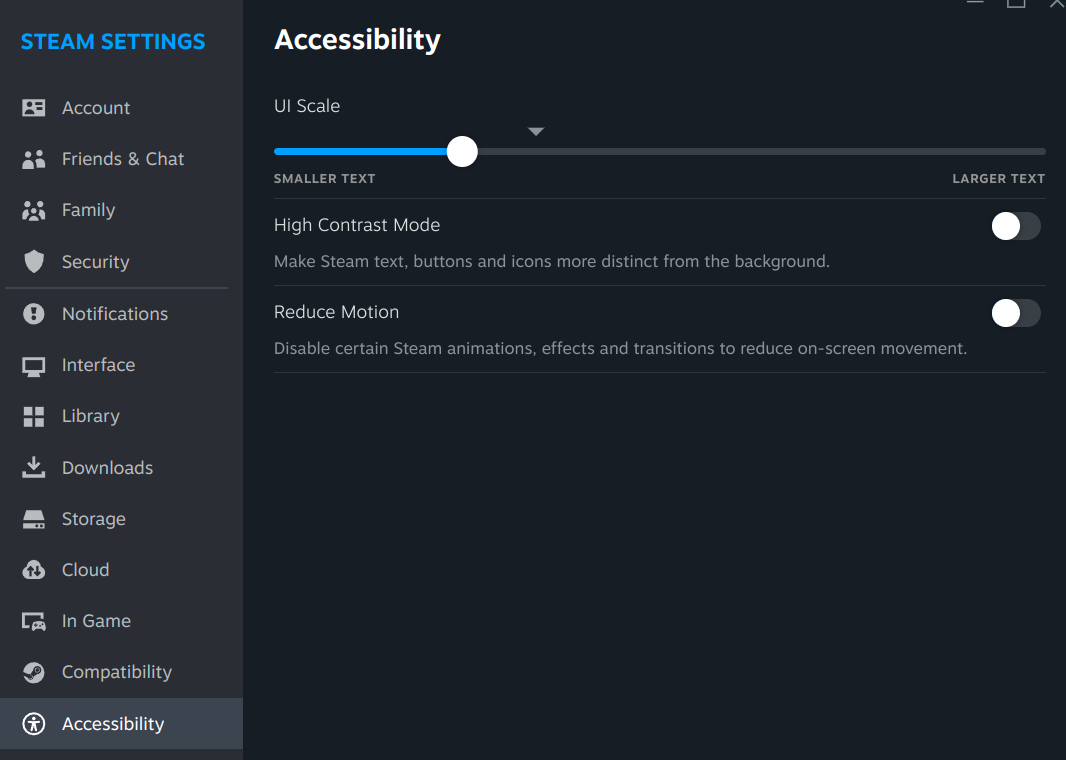
I’ll be amazed if the file browse dialogs actually work.
Why’s that? Seems like a fairly simple task to me
It’s an issue because every desktop shell has a different implementation and Steam needs to support various versions of kde/gnome/xfce and whatnot. I found that I had to install certain packages and do unholy things to make dialog appear on some systems.
Hmm, I would have assumed its as simple as checking for a few different file managers and just launching one. Interesting that it seems to be more complicated than that.
huh? isn’t it just a simple
xdg-mime query default inode/directory(obviously in non-bash code form) and then calling that program?like if games can do this, why can’t steam?
That would be a miracle
Damn no mention of the starting in store page bug.
My and my friends steam just show a black store page on first open. We had to click to library and back for it to render.
I started making my library the start up default and then just clicking over to the store to save myself a click.
Flatpak version on Bazzite. Didn’t experience it on other distros.
I’m using the .deb (for VR and DRM) I can only access the steam library and interact with it, if I try to interact with the desktop the window closes. ended up installing wlxoverlay to access my desktops. also steam only gives me 1 of my 2 monitors. hope this fixes some of these issues
Bazzite
Isn’t there already Steam preinstalled?
Correct. It comes with the Flatpak version pre installed.
No, it comes with the rpm. We do not use the flatpak.